 Plasmid Map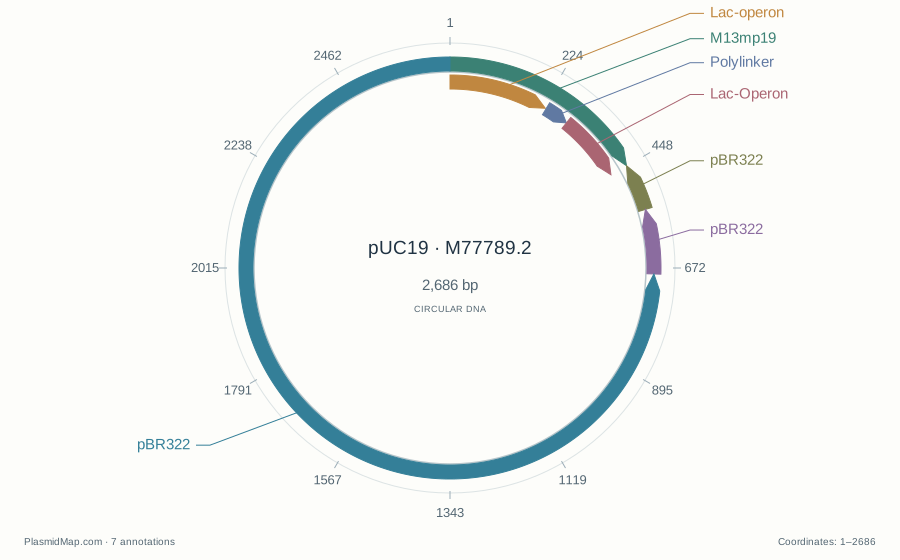
Open a sequence and get to work
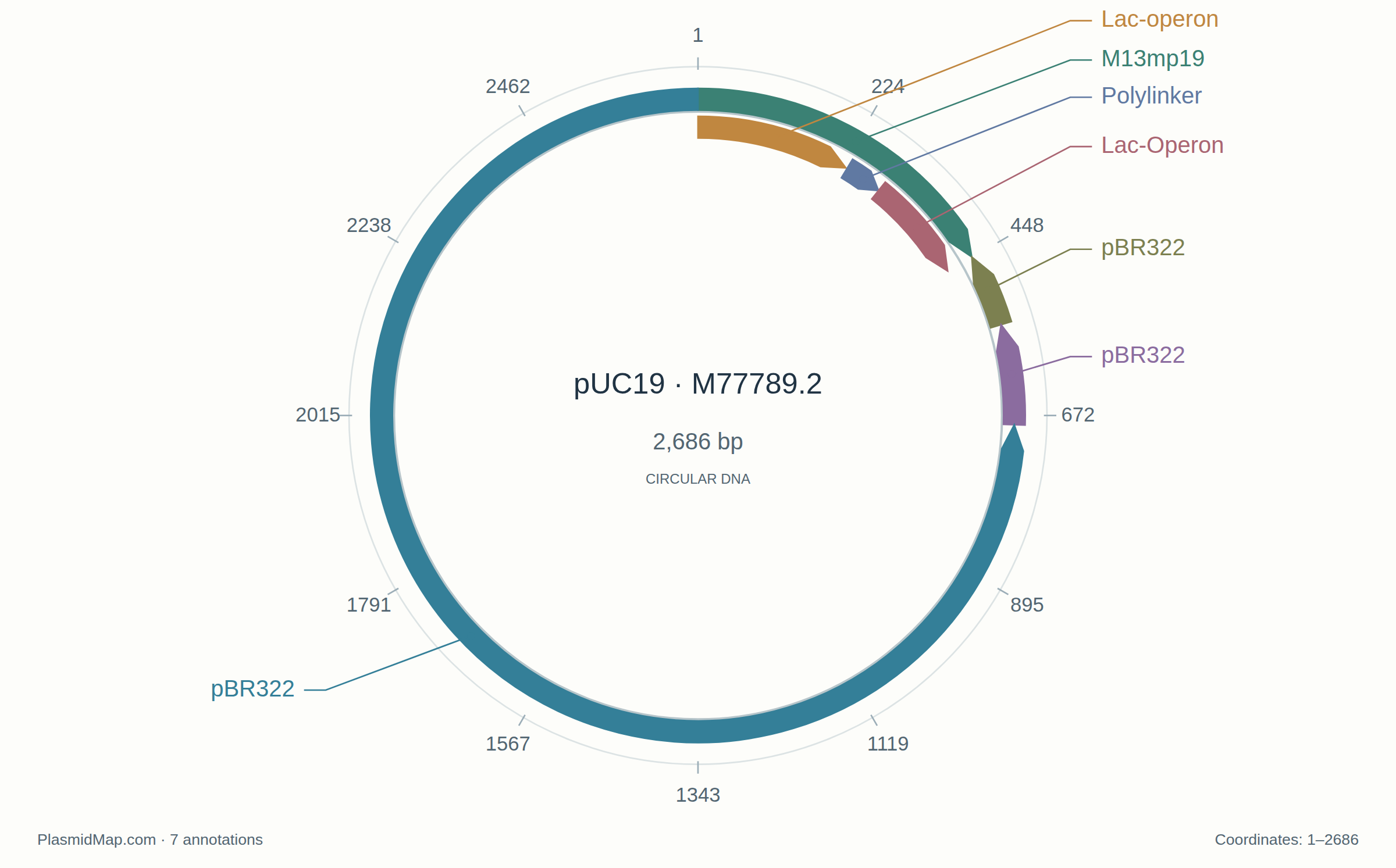
The worked pUC19 map pairs a circular diagram with its exact annotated coordinates. Download the map as a one-page PDF, SVG or PNG, or open its original GenBank file to inspect the same regions in the editor.
Open GenBank, FASTA, SnapGene .dna or AB1 files from your computer. A project can hold up to 20 sequences, with a limit of 250,000 bases per sequence and 5 MB per imported file. Multi-record FASTA files appear as separate sequences in the selector. The example is the public pUC19 record M77789.2, retrieved from NCBI, so you can explore a real annotated plasmid before opening your own work.
Use Focus view to expand the workspace while keeping your current edits and undo history. Exit focus view to return to the page.
On a narrower screen, More opens the comparison, project and sequence-download controls. The active sequence, map/editor tabs and Focus control stay together at the top of the workspace.
The workspace opens with a searchable project library and an annotation map. Filter features by name or type, select an annotation to inspect its coordinates and strand, then copy or download its DNA. Download the displayed map as SVG or PNG. Open Find a DNA sequence to search either strand, including across a circular origin. Inspect each match, copy its DNA or select its span in the editor. Map zoom makes small features easier to inspect; Fit map restores the full view. The Sequence editor tab connects circular, linear and base-level views. Select bases, inspect an annotation, search the sequence, or use the editing controls to insert, delete and reverse-complement DNA. Feature and primer annotations can be added or edited. Undo and redo operate within the active editing session. On smaller screens, use the annotation strip or the editor’s map tabs to switch views; a desktop provides more room for simultaneous map and sequence work.
Keep both the edited project and the original
Save project downloads a .pmap file containing the editable sequences, annotations and exact bytes of imported originals. The workspace also saves the current project in this browser when storage is available. This is device-local recovery, not a cloud backup; download a project before moving computers or clearing browser data.
GenBank export is a conversion. It preserves the supported sequence and annotations, but it does not promise to represent every field in a different file format. FASTA contains sequence text without feature annotations. Original-file export returns the imported file unchanged and does not include edits. Editing and re-exporting the complete SnapGene .dna format is not available in this release.
An editor with explicit methods
The editor includes restriction-site inspection, a digest view, ORF display and a PCR product view using annotated primer positions. These are sequence models. They do not predict reaction yield or replace checking experimental conditions. Read formats and methods for the current behavior and limits. For codon lookups, printable genetic-code references and six-frame translation, use Codon Chart.
Portable projects are limited to 32 MB. New project downloads a copy of the current project before clearing the workspace.
Check your sequencing read
Open a reference and a sequencing read, then choose Compare sequences. The comparison checks both strands and circular-origin crossings, and lists differences with reference positions, original read positions and nearby annotations. Select a read range to exclude ends you do not want to compare. AB1 files include original trace and quality-score inspection. Download the selected read as FASTA or save a text report with the alignment and differences. The source files stay unchanged. A partial read checks only its aligned region; inspect the reported placement and unresolved bases before interpreting it.